🖥️ Parts of Computer Worksheet for Class 1 with Answers
Learn about the monitor, keyboard, mouse, system unit, speakers and printer!
🎯 20-Question Online Quiz | ⏱️ 20 Minutes | 📝 Printable Practice
CBSE Class 1 Computer Studies – Parts of a Computer
Question 1 of 20
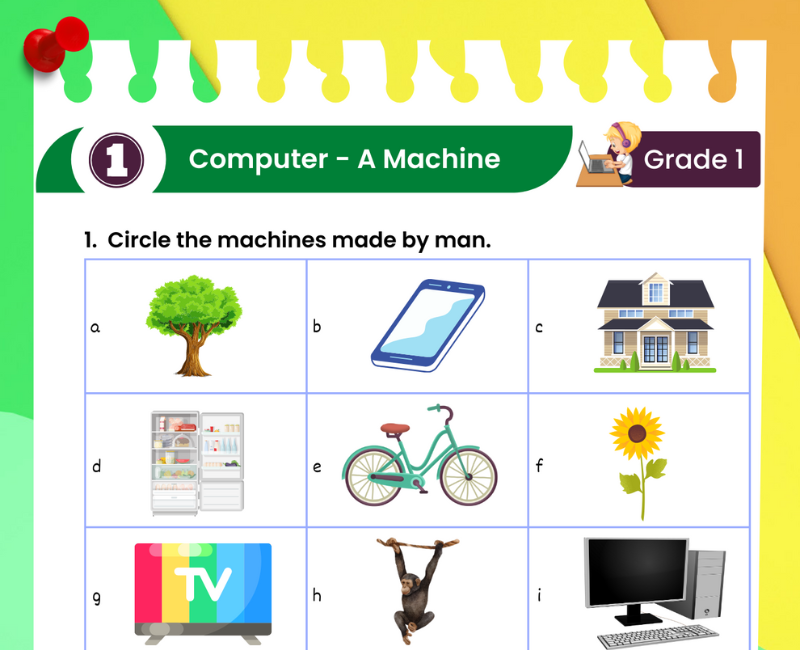
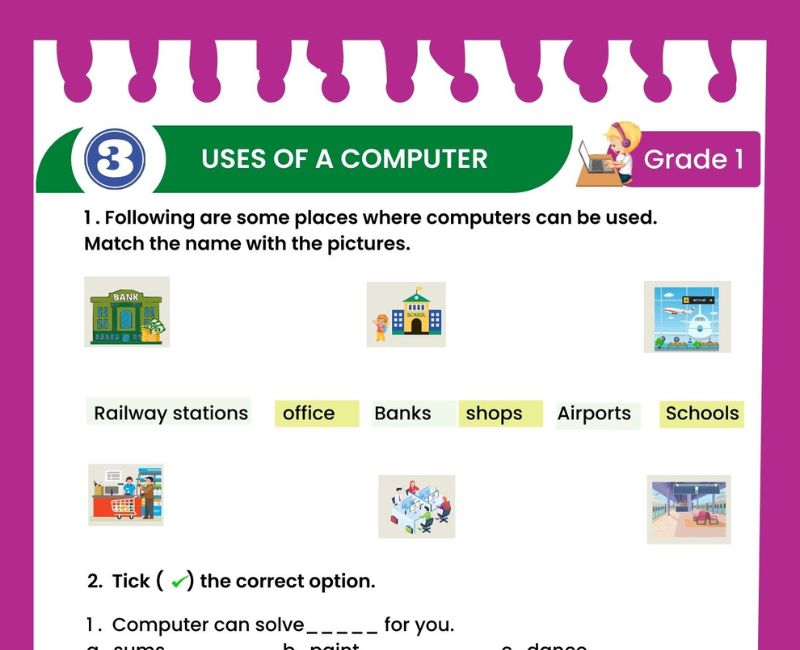
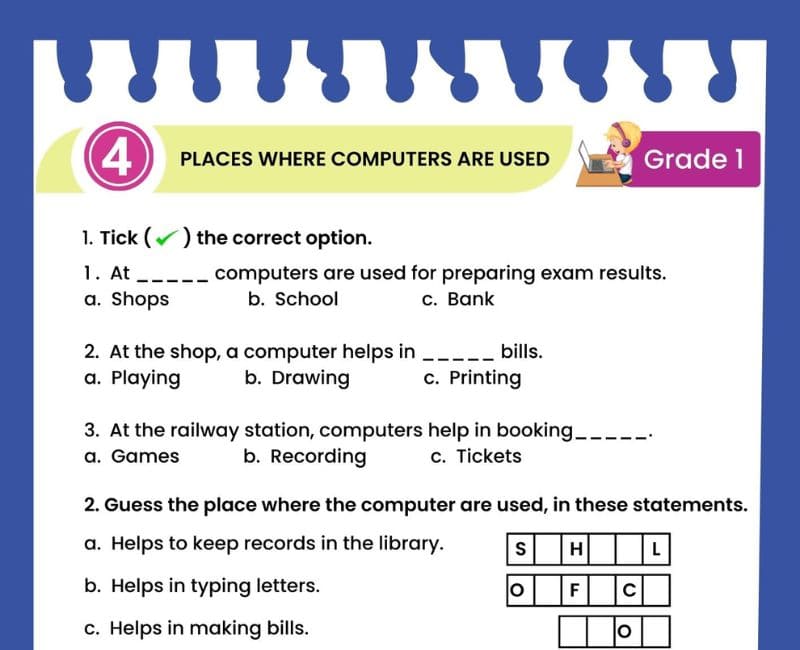
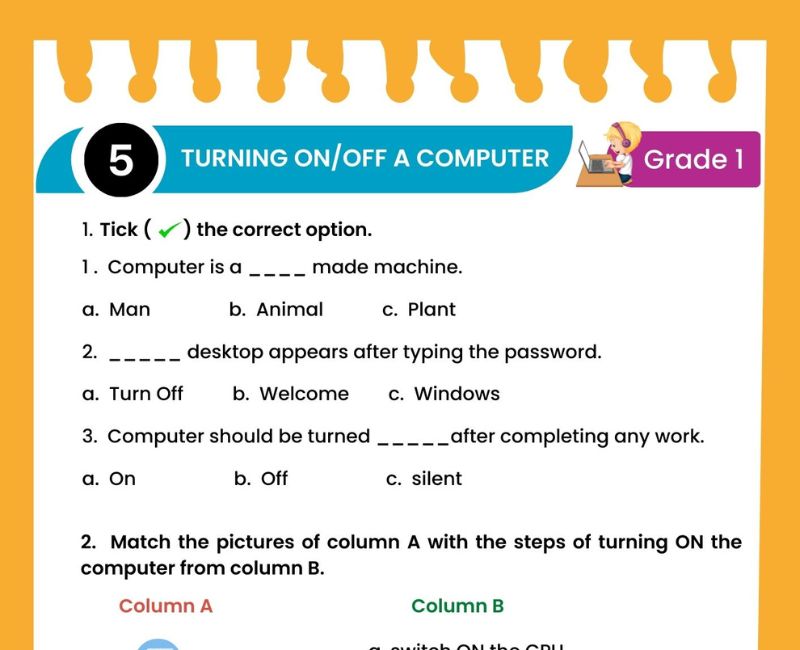
Parts of Computer for Class 1 Worksheet PDF
Have you ever used a computer to draw a picture, watch a learning video or type your name? A computer is an electronic machine that helps us complete many useful tasks. Different parts of a computer work together to make these activities possible.
This Parts of Computer Worksheet for Class 1 introduces children to the main parts of a desktop computer, including the monitor, keyboard, mouse and system unit. It also introduces useful devices such as speakers and printers.
Students learn how to recognise each computer part, remember its name and explain its function using simple sentences. For example, the monitor displays pictures, the keyboard helps us type and the mouse helps us point and click.
The printable resource includes activities based on identifying and labelling computer components. Teachers and parents can combine these exercises with the additional matching questions, fill-in-the-blanks, true-or-false statements and online quiz provided below.
Learning computer parts at an early age builds familiarity with digital devices. Children begin to understand that a computer is made up of different components and that each component has a special purpose.
The activities are designed for beginner-level Class 1 Computer Studies lessons, school revision, homework and guided learning at home.
What Are the Main Parts of a Computer?
The main parts commonly taught in a Class 1 desktop computer lesson are the monitor, keyboard, mouse and system unit. A computer may also have speakers, a printer and other connected devices.
Shows words, pictures and videos.
Helps us type letters, numbers and symbols.
Helps us point, click, select and move items.
Contains important parts that help the computer process information.
Help us hear music, voices and other sounds.
Prints text and pictures onto paper.
Some computers, such as laptops and tablets, have a different arrangement of parts. For example, a laptop usually has a built-in screen and keyboard.
1. Monitor – The Screen of a Computer
A monitor is an output device that displays information from the computer. It looks similar to a television screen.
🖥️ We see pictures on the monitor.
📖 We read words on the monitor.
🎬 We watch educational videos on the monitor.
🎨 We see our drawings on the monitor.
Remember: The monitor shows information. It does not normally type letters or print pages.
2. Keyboard – The Typing Part
A keyboard is an input device with keys. We press these keys to enter letters, numbers and other information into a computer.
🔤 Alphabet keys help us type letters.
🔢 Number keys help us type numbers.
␣ The Spacebar helps us leave a space between words.
↵ The Enter key helps us give certain commands or move to a new line in many programs.
For example, children can use a keyboard to type their names or write short sentences.
A keyboard should be handled gently. Pressing keys too hard is unnecessary.
3. Mouse – The Pointing Device
A mouse is a pointing device. It helps us control the pointer on the screen.
🖱️ Move: Move the mouse to move the pointer.
👆 Click: Press a mouse button to select something.
👆👆 Double-click: Quickly press the main mouse button twice.
↔️ Drag: Hold a mouse button while moving the mouse to move or select items.
Many desktop mice have two main buttons and a scroll wheel. The exact actions can vary with the computer's settings.
Children can practise using a mouse by clicking pictures, selecting icons and drawing in a simple painting program.
4. System Unit and CPU – Understanding the Difference
The system unit is the main computer case that contains important electronic components. One of these components is the CPU.
CPU stands for Central Processing Unit. It processes instructions and performs important calculations and operations.
💻 System unit: The case that holds important computer components.
🧠 CPU: The processor inside the computer.
Some beginner textbooks use the term "CPU box" for the system unit. For accurate understanding, children should know that the CPU is a component inside the computer, not the entire box.
5. Speakers and Printer
🔊 Speakers
Speakers are output devices that produce sound. We use them to hear music, spoken instructions, stories and other audio from a computer.
🖨️ Printer
A printer is an output device that produces information on paper. It can print worksheets, pictures, letters and documents.
Speakers and printers are useful devices, but not every computer setup needs separate external speakers or a printer.
Input and Output Devices for Class 1
Some computer parts help us give information to the computer, while others show or play information from it.
| Input Devices | Output Devices |
|---|---|
| Keyboard – enters letters and numbers | Monitor – displays information |
| Mouse – sends pointing and clicking actions | Speakers – produce sound |
| Microphone – records sound | Printer – prints on paper |
For Class 1, a simple way to remember is: input means giving information to the computer, and output means receiving information from the computer.
Parts of Computer Worksheet for Class 1 – Questions and Answers
Exercise 1: Fill in the Blanks
- The ______ shows pictures and words.
- We use a ______ to type letters.
- A ______ helps us point and click.
- The ______ prints on paper.
- We hear music through ______.
- CPU stands for Central ______ Unit.
- The keyboard has many ______.
- A monitor is an ______ device.
- A mouse is an ______ device.
- The CPU is found inside the ______ unit.
Show Exercise 1 Answers
1. monitor; 2. keyboard; 3. mouse; 4. printer; 5. speakers; 6. Processing; 7. keys; 8. output; 9. input; 10. system.
Exercise 2: True or False
- A monitor displays pictures.
- A keyboard helps us type.
- A mouse is used to print documents.
- Speakers produce sound.
- A printer prints on paper.
- A CPU is a type of fruit.
- A keyboard is an input device.
- A monitor is an output device.
- We should press keyboard keys very hard.
- A system unit contains important computer components.
Show Exercise 2 Answers
1. True; 2. True; 3. False; 4. True; 5. True; 6. False; 7. True; 8. True; 9. False; 10. True.
Exercise 3: Match the Following
| Column A | Column B |
|---|---|
| 1. Monitor | A. Prints on paper |
| 2. Keyboard | B. Produces sound |
| 3. Mouse | C. Displays pictures |
| 4. Printer | D. Helps us type |
| 5. Speakers | E. Helps us point and click |
Show Exercise 3 Answers
1-C, 2-D, 3-E, 4-A, 5-B.
Exercise 4: Choose the Correct Answer
- Which part shows pictures? (Monitor / Mouse)
- Which part helps us type? (Keyboard / Printer)
- Which device produces sound? (Speakers / Mouse)
- Which device prints on paper? (Printer / Monitor)
- Which device helps us click? (Mouse / Speaker)
- Where is the CPU usually found in a desktop computer? (System unit / Keyboard)
Show Exercise 4 Answers
1. Monitor; 2. Keyboard; 3. Speakers; 4. Printer; 5. Mouse; 6. System unit.
Exercise 5: Answer in One Sentence
- What is a monitor?
- What is a keyboard?
- What is a mouse?
- What is a printer?
- What are speakers?
- What is the full form of CPU?
Show Exercise 5 Answers
- A monitor is an output device that shows pictures and words.
- A keyboard is an input device used to type letters and numbers.
- A mouse is a pointing device used to select and click items.
- A printer is an output device that prints information on paper.
- Speakers are output devices that produce sound.
- CPU stands for Central Processing Unit.
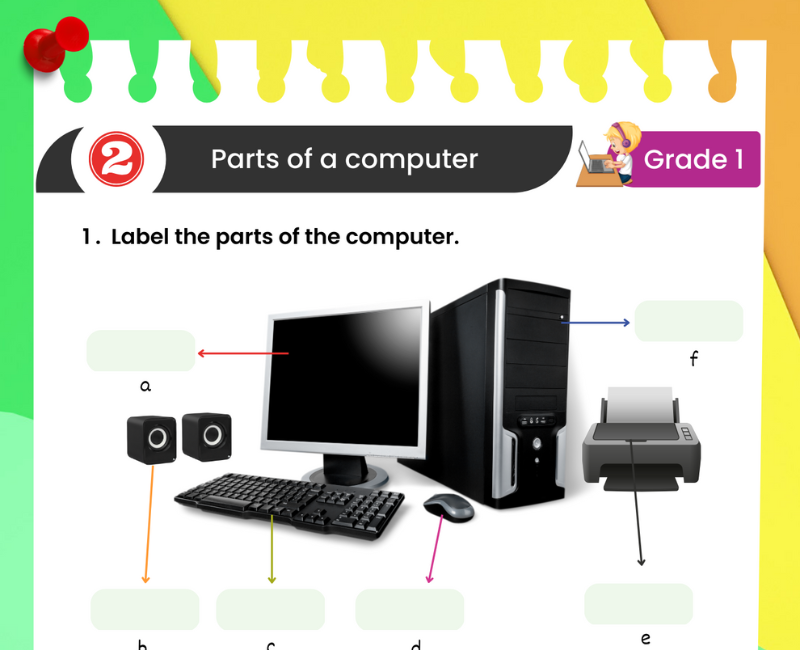
Label the Parts of a Computer – Class 1 Activity
Use the downloadable worksheet's computer diagram to identify and label its components. Children should observe each part carefully and write the correct name beside it.
Word Bank: Monitor | Keyboard | Mouse | System Unit | Speakers | Printer
Teachers can also show a real desktop computer or a printed picture. Ask students to point to the monitor, find the keyboard, locate the mouse and identify any additional devices.
For a simple oral activity, ask: "Which part looks like a screen?" or "Which part has many keys?" This helps children connect the names of the parts with their appearance and function.
Fun Activities to Learn Computer Parts
1. Draw and Colour a Computer
Draw a desktop computer with a monitor, keyboard, mouse and system unit. Colour each part and label it neatly.
2. Guess the Computer Part
Read a clue such as "I show pictures and videos." Children guess the correct part: monitor.
3. Computer Lab Hunt
During a supervised computer lab visit, children identify the parts they have studied and say their functions.
4. Match Pictures and Names
Give students picture cards and word cards. Ask them to match each device to its correct name.
5. Input or Output?
Say the names of devices aloud. Students identify whether they are used to enter information or receive information.
6. Keyboard and Mouse Practice
Let students type their names and practise moving and clicking the mouse under teacher supervision.
Good Habits While Using Computer Parts
✅ Use the keyboard gently.
✅ Keep the mouse on a suitable surface.
✅ Sit comfortably in front of the screen.
✅ Keep food and drinks away from the computer.
✅ Ask an adult before connecting or disconnecting equipment.
✅ Take breaks during computer use.
❌ Do not pull wires or touch electrical plugs.
❌ Do not hit or shake computer devices.
These simple habits help children use computers responsibly and protect the equipment from damage.
Why Learning Computer Parts Is Important for Class 1
Computers are used in many places, including schools, homes, hospitals and offices. Understanding their main parts helps children recognise the devices they see around them and become more comfortable with basic technology.
At the Class 1 level, children learn best when computer concepts are connected to real objects and simple actions. Seeing a monitor display a picture or using a keyboard to type a name makes the lesson easier to understand.
Identifying computer parts also builds vocabulary. Words such as monitor, keyboard, mouse, printer and speakers become familiar through repetition, pictures and hands-on activities. This vocabulary prepares students for later lessons about computer functions and digital skills.
Matching activities help children connect a device's appearance with its name. Labelling exercises encourage careful observation, while short-answer questions strengthen their ability to explain what each part does.
Students also begin to understand the difference between input and output. A keyboard sends information into a computer, while a monitor displays information from it. These are foundational ideas that can be explored in more detail in higher classes.
Learning computer parts provides opportunities to develop responsible habits. Children can practise handling devices gently, sitting comfortably and following adult instructions while using technology.
Printable worksheets are useful for revision because they allow children to identify parts repeatedly without needing to use a computer every time. Teachers can combine worksheets with classroom demonstrations to create a balanced learning experience.
The online quiz on this page provides an additional opportunity for students to review the names and functions of computer parts. After completing it, children can check their answers and revisit concepts that need more practice.
Related Class 1 Computer Worksheets
Frequently Asked Questions About Parts of Computer for Class 1
What are the main parts of a computer for Class 1?
The main parts commonly taught are the monitor, keyboard, mouse and system unit. Speakers and printers are also useful computer devices.
What is a monitor?
A monitor is an output device that displays text, pictures and videos.
What is the use of a keyboard?
A keyboard helps us type letters, numbers and symbols.
What is the use of a mouse?
A mouse helps us point, click, select and move items on a computer screen.
What is the full form of CPU?
CPU stands for Central Processing Unit.
Is the CPU the same as the computer cabinet?
No. The CPU is a processor inside the computer, while the system unit is the case containing important components.
What is the use of a printer?
A printer produces text and pictures on paper.
What is the use of speakers?
Speakers allow us to hear music, voices and other sounds from the computer.
Which computer part is used for typing?
The keyboard is used for typing.
Which computer part looks like a television?
The monitor looks similar to a television screen.
Which are input devices?
The keyboard and mouse are examples of input devices.
Which are output devices?
The monitor, speakers and printer are examples of output devices.
How can children learn computer parts easily?
Children can use labelled pictures, matching exercises, drawing activities and supervised computer demonstrations.
Is this worksheet suitable for CBSE Class 1?
Yes. The activities introduce foundational computer concepts suitable for beginner-level Class 1 Computer Studies.
Can students practise parts of a computer online?
Yes. This page includes a 20-question interactive quiz with a timer, scoring, answer explanations and a retake option.
🎯 Online Parts of Computer Quiz for Class 1 – Printable PDF and Computer Practice
Use these Parts of Computer worksheets for Class 1 alongside the free interactive quiz to practise identifying the monitor, keyboard, mouse, system unit, speakers and printer. Students can answer 20 multiple-choice questions, check their scores and review explanations. This combination of printable Parts of Computer for Class 1 worksheet PDF, computer diagram labelling and online Computer Studies practice supports regular revision at home and in the classroom.
↑ Start the Online Parts of Computer Quiz Download