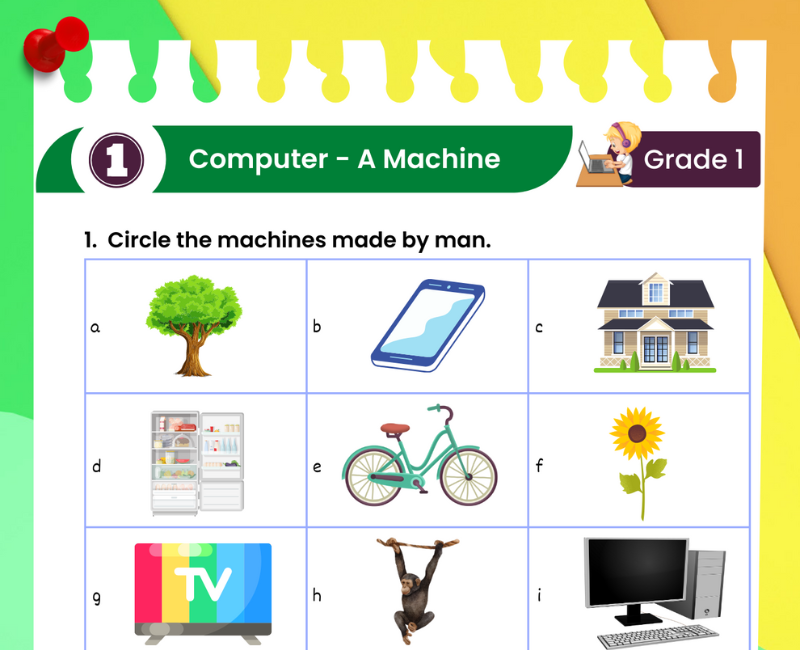
💻 Computer A Machine Worksheet for Class 1
Discover what a computer is, how it helps us and why it is called a machine.
🎯 20-Question Online Quiz | ⏱️ 20 Minutes | 📝 Worksheet with Answers
CBSE Class 1 Computer Studies – Computer: A Simple Machine
Question 1 of 20
Computer A Machine Worksheet for Class 1 with Answers
Have you ever seen a computer in your school, home, bank or shop? Computers are useful machines that help people perform many different tasks. We can use them to type words, draw colourful pictures, listen to music, watch educational videos and solve simple maths problems.
This Computer A Machine Worksheet for Class 1 introduces young learners to the meaning of a computer, the difference between natural and human-made things, common machines, basic computer parts and everyday uses of computers.
Children will discover that a computer is an electronic machine. It works with electricity or battery power and follows instructions given through programs and users. A computer can perform calculations, store information and display results.
Learning about computers in Class 1 does not require complicated technical words. Children can begin by identifying familiar objects, comparing machines with living things and understanding how technology helps people.
The printable worksheet can be used for classroom practice, homework and revision. The additional activities on this page include fill-in-the-blanks, true-or-false questions, matching, short answers and a 20-question interactive quiz.
This topic forms a foundation for later lessons about the parts of a computer, keyboard, mouse, monitor, uses of computers and places where computers are used.
What Is a Computer for Class 1?
A computer is an electronic machine that helps us do many kinds of work.
💻 A computer can help us type words.
🎨 A computer can help us draw pictures.
🔢 A computer can solve maths problems.
🎵 A computer can play music.
📚 A computer can help us learn new things.
A computer works by following instructions. People use computers to perform tasks, and computer programs tell the machine how to process information.
Computers can be large or small. Desktop computers, laptops and tablets are examples of computing devices that children may see in everyday life.
What Is a Machine?
A machine is something that helps us do work. Many machines make tasks easier, faster or more convenient.
Machines are made by people. They are different from natural things such as trees, mountains and rivers.
Helps us travel from one place to another.
Helps us wash clothes.
Moves air and helps us feel cool.
Helps us learn, write, draw and calculate.
Not every machine needs electricity. A bicycle is a machine that works using human effort. A computer, however, is an electronic machine that needs electrical power.
Why Is a Computer Called a Machine?
A computer is called a machine because it is made by people and helps us complete tasks. It uses electronic parts to process information and follow instructions.
1. A computer is a human-made device.
2. It works using electrical power.
3. It follows instructions.
4. It can perform many different tasks.
5. It can store and process information.
Unlike a human being, a computer does not have feelings or think independently in the way people do. It carries out operations according to its hardware, software and instructions.
Features of a Computer for Class 1
1. Speed
A computer can perform many calculations and operations very quickly.
2. Accuracy
A computer can produce accurate results when the instructions, information and operations are correct. Wrong information or instructions can still lead to wrong results.
3. Storage
A computer can store pictures, documents, music and other information for later use.
4. Versatility
A computer can perform many different tasks, such as writing, drawing, learning and playing games.
5. Works with Instructions
A computer follows instructions given by programs and users. It does not decide what a child should learn or do without instructions and programmed behaviour.
Examples of Machines Around Us
| Machine | What It Does |
|---|---|
| Computer | Helps us write, learn and calculate |
| Fan | Moves air |
| Washing machine | Washes clothes |
| Refrigerator | Keeps food cold |
| Bicycle | Helps us travel |
| Calculator | Performs calculations |
| Printer | Prints documents and pictures |
| Vacuum cleaner | Helps clean floors |
Ask children to name other machines they have seen at home, in school or while travelling.
Natural Things and Human-Made Things
Some things occur in nature, while others are made by people. Computers belong to the group of human-made things.
Tree, mountain, river, flower, bird and sun.
Computer, chair, table, car, pencil and school bag.
A computer is not a living thing. It does not grow like a plant, breathe like an animal or need food like a person. It is an electronic device designed to perform tasks.
Basic Parts of a Computer
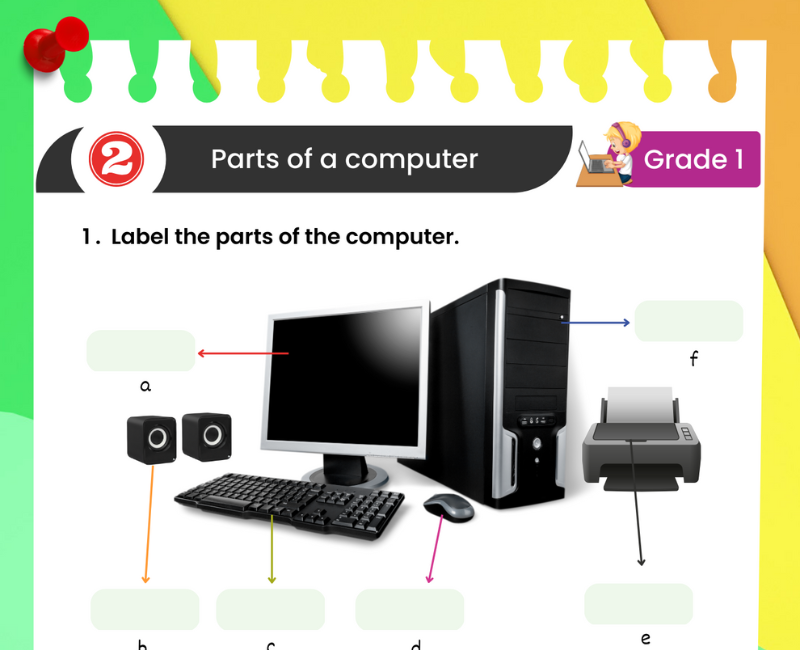
Although this chapter focuses on a computer as a machine, children should also recognise the main parts of a desktop computer.
| Computer Part | Simple Function |
|---|---|
| 🖥️ Monitor | Shows pictures, text and videos |
| ⌨️ Keyboard | Helps us type letters and numbers |
| 🖱️ Mouse | Helps us point, click and select |
| 💻 System Unit | Contains important computer components, including the processor |
| 🔊 Speakers | Play sounds |
The CPU, or Central Processing Unit, is a processor inside a computer. The whole computer cabinet or system unit is not the CPU itself.
For more practice, visit the Parts of Computer Worksheet for Class 1.
Uses of a Computer in Daily Life
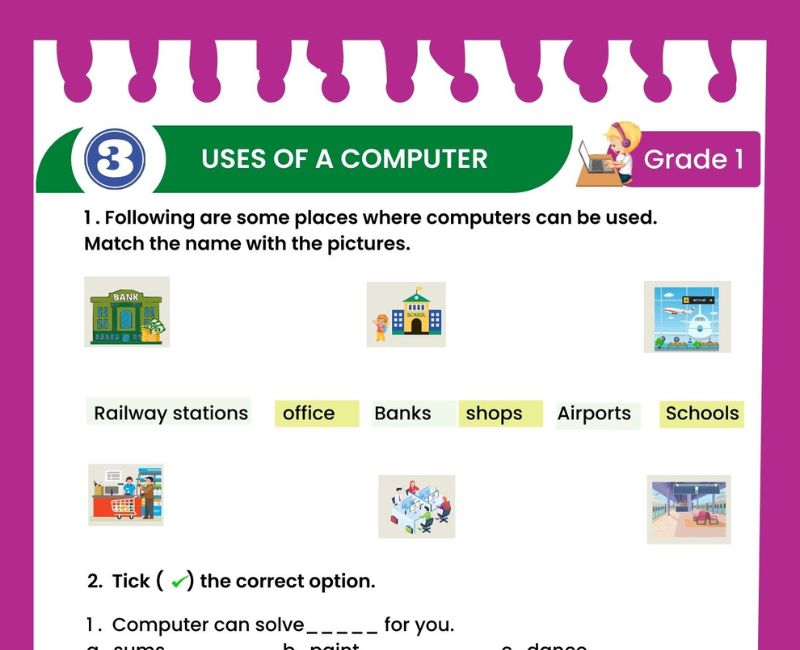
Computers help us in many places and for many purposes.
🏫 At school: Teachers can prepare lessons and students can learn.
🏠 At home: Families can communicate, study and enjoy entertainment.
🏥 At hospitals: Staff can maintain patient records and manage appointments.
🏦 At banks: Computers help manage account information and transactions.
🛍️ At shops: Computers help prepare bills and manage stock.
🚉 At railway stations: Computers help with tickets and travel information.
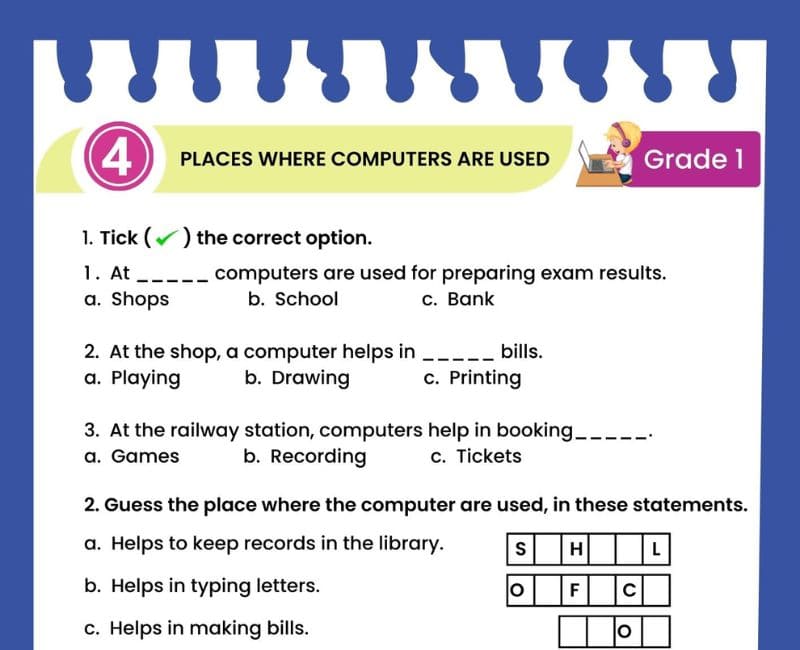
Explore more examples with the Uses of Computer Worksheet and the Places Where Computers Are Used Worksheet.
Computer A Machine Worksheet for Class 1 – Questions and Answers
Exercise 1: Fill in the Blanks
- A computer is an ______ machine.
- A computer works using electrical ______.
- We can draw ______ on a computer.
- A computer can solve maths ______.
- A computer follows ______.
- A ______ helps us wash clothes.
- A computer can store ______.
- A bicycle works using human ______.
Show Exercise 1 Answers
1. electronic; 2. power; 3. pictures; 4. problems; 5. instructions; 6. washing machine; 7. information; 8. effort.
Exercise 2: True or False
- A computer is a machine.
- A computer is a living thing.
- We can type letters on a computer.
- A tree is a human-made thing.
- A bicycle is a machine.
- A computer can store information.
- Every machine needs electricity.
- A computer can help us learn.
Show Exercise 2 Answers
1. True; 2. False; 3. True; 4. False; 5. True; 6. True; 7. False; 8. True.
Exercise 3: Choose the Correct Answer
- Which one is an electronic machine? (Computer / Tree)
- Which machine helps us wash clothes? (Fan / Washing machine)
- Which computer part displays pictures? (Monitor / Keyboard)
- Which computer part helps us type? (Keyboard / Speaker)
- Which is a natural thing? (Mountain / Computer)
- Which device helps us point and click? (Mouse / Printer)
Show Exercise 3 Answers
1. Computer; 2. Washing machine; 3. Monitor; 4. Keyboard; 5. Mountain; 6. Mouse.
Exercise 4: Answer in One Sentence
- What is a computer?
- Why is a computer called a machine?
- Name two uses of a computer.
- Name two machines used at home.
- Is a computer a living thing?
- What does a computer need to work?
Show Exercise 4 Answers
- A computer is an electronic machine that helps us do many kinds of work.
- It is called a machine because it is made by people and helps us perform tasks.
- We can type words and draw pictures on a computer.
- A fan and a washing machine are machines used at home.
- No, a computer is a non-living thing.
- A computer needs electrical power and instructions to perform tasks.
Exercise 5: Match the Following
| Column A | Column B |
|---|---|
| 1. Computer | A. Moves air |
| 2. Fan | B. Helps us type |
| 3. Keyboard | C. Electronic machine |
| 4. Monitor | D. Washes clothes |
| 5. Washing machine | E. Displays pictures |
Show Exercise 5 Answers
1-C, 2-A, 3-B, 4-E, 5-D.
Fun Activities for Teaching Computer: A Machine
1. Machine or Not a Machine?
Show pictures of a computer, tree, bicycle, fan and flower. Ask children to identify which objects are machines.
2. Draw and Colour a Computer
Students draw a desktop computer and colour its monitor, keyboard and mouse.
3. Find Machines at Home
Children list three machines they see at home and explain how each machine helps their family.
4. Computer Uses Picture Game
Show pictures of drawing, typing, listening to music and studying. Ask which activities can be done using a computer.
5. Role-Play a Computer
One student gives a simple instruction, such as "draw a circle", while another follows it. Explain that computers also follow instructions, although they do so electronically.
6. Visit the Computer Lab
With teacher supervision, students identify a monitor, keyboard, mouse and system unit.
Good Habits While Using a Computer
Learning about computers should also include safe and responsible habits.
✅ Sit comfortably and keep the screen at a suitable distance.
✅ Keep food and drinks away from computer equipment.
✅ Use the keyboard and mouse gently.
✅ Take regular breaks from the screen.
✅ Ask a teacher or parent before using unfamiliar websites.
✅ Tell a trusted adult if something online feels confusing or upsetting.
❌ Do not touch plugs or wires without adult supervision.
❌ Do not share personal information with strangers online.
Young children should use computers under appropriate adult guidance. Computer lessons can introduce these habits through simple classroom reminders.
Why Learning About Computers Is Important in Class 1
Computers are part of many everyday activities. Children may see them in schools, homes, hospitals, shops and other public places. Introducing the computer as a machine helps young learners understand that technology is designed to perform useful tasks.
At the beginning level, students do not need to understand complicated programming or electronic circuits. They can start by identifying a computer, naming familiar machines and explaining simple uses. This builds confidence and curiosity.
Learning about computers also supports observation and classification skills. Children compare natural things with human-made things, recognise living and non-living objects and identify different machines around them.
Simple worksheets provide an opportunity to practise new words such as machine, electronic, monitor, keyboard and mouse. Picture-based activities make these ideas easier to understand.
When children learn that computers follow instructions, they begin to develop an early understanding of how technology works. This concept can later support lessons about software, coding and problem-solving.
Computer education also creates opportunities to teach responsible technology use. Students learn that devices should be handled carefully and that adults can help them make safe choices online.
Parents and teachers can reinforce the topic through short conversations. For example, ask "What can a computer do?" or "Which machines do we use at home?" Such questions help children connect classroom learning with everyday experiences.
Regular revision using worksheets, oral questions and the online quiz can help students remember the main concepts before moving on to the next computer chapter.
Teaching Tips for Parents and Teachers
Begin by showing students a real computer or a clear picture of one. Ask what they notice and whether they have used a computer before.
Explain the meaning of a machine using familiar examples such as a fan, bicycle and washing machine. Then introduce the computer as a special electronic machine.
Keep explanations short and use everyday words. Encourage children to describe what they can do on a computer rather than memorising complicated definitions.
Include drawing, matching and sorting activities so that children can learn through pictures and movement.
Check understanding through simple questions and correct misunderstandings gently. For example, explain that a computer can process information but is not a living thing.
Use the interactive quiz as revision after teaching the topic. Review the explanations with students who need extra practice.
Related Class 1 Computer Worksheets
Frequently Asked Questions About Computer A Machine Class 1
What is a computer for Class 1?
A computer is an electronic machine that helps us perform tasks such as writing, drawing, learning and calculating.
Why is a computer called a machine?
A computer is called a machine because it is made by people and helps us perform different tasks.
Is a computer an electronic machine?
Yes. A computer uses electronic components and needs electrical power to work.
What are five uses of a computer?
We can use a computer for typing, drawing, learning, calculating and listening to music.
Is a computer a living or non-living thing?
A computer is a non-living thing because it does not grow, breathe or need food like living organisms.
What is a machine for Class 1?
A machine is something that helps us do work. Examples include a bicycle, fan, washing machine and computer.
Do all machines need electricity?
No. Some machines, such as bicycles, work using human effort. Computers need electrical power.
What are the main parts of a desktop computer?
Common parts include a monitor, keyboard, mouse and system unit.
Can a computer make mistakes?
Computers can produce incorrect results if they receive incorrect data or instructions, or if a program has an error.
Can a computer store information?
Yes. Computers can store files such as pictures, documents, music and videos.
Where are computers used?
Computers are used in schools, homes, hospitals, banks, shops, offices and many other places.
Can we draw pictures on a computer?
Yes. We can use drawing programs to make pictures and colour them.
What is the difference between a computer and a human?
Humans are living beings. A computer is a non-living electronic machine that follows instructions and processes information.
Is this worksheet suitable for CBSE Class 1?
Yes. The explanations and exercises introduce basic computer concepts suitable for Class 1 Computer Studies.
Can students practise Computer A Machine online?
Yes. The page includes a 20-question quiz with a timer, answer explanations, scoring and a retake option.
🎯 Online Computer A Machine Quiz for Class 1 – Printable PDF and Computer Practice
Use this Computer A Machine worksheet for Class 1 alongside the free interactive quiz to practise identifying machines, understanding what a computer does, recognising its basic parts and learning about everyday computer uses. Students can answer 20 multiple-choice questions, check their scores and review explanations. This combination of a printable Computer A Simple Machine Class 1 worksheet PDF and online Computer Studies practice supports regular revision at home and in the classroom.
↑ Start the Online Computer A Machine Quiz Download